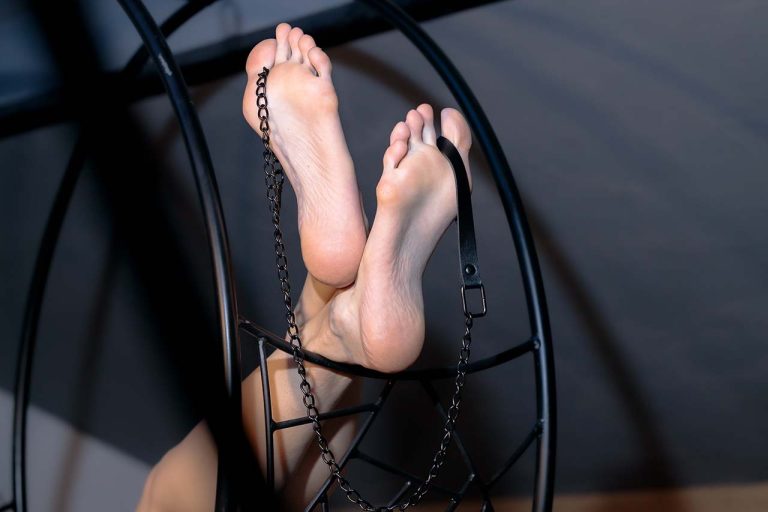

If you want to sell feet pics, the hardest part is not always taking good photos or finding buyers. The harder part is learning which messages are real and which ones are built to make you rush, feel flattered, or break your own rules.
Scammers love this niche because new sellers often feel awkward talking about money. A buyer might sound generous, casual, or strangely formal. They might call you “professional” before you have sold a single photo. They might offer far more than your listed price, then ask for a “tiny favor” before payment. That tiny favor is usually the trap.
The Overpayment Scam
This one is old, but it keeps working because it flatters the seller. A buyer offers more than you asked for, then says they made a mistake, need help paying a “manager,” or want you to send part of the money somewhere else.
Never accept overpayments. Never send money back to a buyer. If someone sends a check, screenshot, or pending transfer for more than the agreed price, treat the sale as dead. A real buyer can pay the correct amount through the agreed method.
Fake Payment Screenshots
A scammer may send a screenshot that looks like Cash App, PayPal, Venmo, Zelle, or a bank transfer. The image says the payment is complete, pending, processing, or “waiting for seller confirmation.” Then they pressure you to send the photos before the money actually lands.
Only trust what you see inside your own payment account. Not an email. Not a screenshot. Not a cropped confirmation image. Open the app yourself and check the balance or transaction history.
If the buyer says the payment will appear after you send the content, block them. Digital content does not need a shipping scan, buyer confirmation, or outside approval before payment appears.
The “Business Account” Fee Scam
This scam usually arrives with fake emails. The message claims your account must be upgraded before you can receive payment. The buyer may say they already sent money, but you need to pay a release fee, verification fee, or account expansion fee first.
Real payment platforms do not ask a seller to pay a stranger’s fee to unlock a normal transaction. Check the official app or website directly. Do not click links inside the email, and do not reply with personal information.
Chargeback and Refund Traps
Digital content is vulnerable because buyers can receive the photos and then claim they did not authorize the payment, did not receive the content, or were unhappy with it. Some payment services offer limited seller protection for intangible goods, but eligibility depends on the platform, transaction type, and proof you can provide.
Protect yourself by keeping records. Save the buyer’s username, agreed price, exact content description, payment confirmation from inside the app, and delivery proof. If you send files through a platform that logs delivery, use that record. If you sell outside a platform, understand that you may have fewer options if the buyer disputes the payment.
Gift Card, Crypto, and “Quick Bonus” Payments
A buyer who wants to pay with gift cards, crypto, or some strange third-party method is often trying to move you into a payment channel where mistakes are hard to undo. Crypto is not automatically a scam, but it is unforgiving. Gift cards are almost always a bad sign when a stranger suggests them for online content.
The cleaner rule is simple: pick payment methods before you start selling and refuse anything outside that list. Scammers look for sellers who improvise under pressure.
The Custom Content Bait
Custom requests can be profitable, but they also attract buyers who ask for more and more before paying. They may say, “Just send one preview,” then ask for another angle, a short video, your face, your voice, or a personal detail to prove the content is really yours.
Use a deposit for custom work. For larger requests, take full payment upfront. Be clear about what the buyer gets: number of photos, length of video, theme, delivery time, and whether revisions are included. A vague custom order is where boundary-pushing hides.
Identity and Privacy Fishing
Some scammers are not after the photos. They want personal details: your real name, city, regular schedule, personal phone number, main social accounts, or banking information. They may frame it as trust-building, age verification, or “getting to know you.”
Use a creator name. Use separate accounts for selling. Remove location data from images when possible. Avoid recognizable backgrounds, school logos, workplace items, mail, street views, mirrors, and tattoos if you do not want to be identified.
If a buyer pushes for personal access instead of paid content, they are not acting like a customer. They are testing how much of your private life they can reach.
Blackmail and Exposure Threats
A bad buyer may save your content, then threaten to send it to friends, family, an employer, or your main social media followers unless you send more photos or money. This is one reason sellers should avoid linking creator accounts to personal accounts.
Do not negotiate with blackmail. Save screenshots, usernames, payment records, profile links, and messages. Report the account on the platform. If the threat involves personal safety, stalking, minors, or non-consensual sharing, consider reporting it to local authorities or a relevant cybercrime reporting channel.
Stolen Content and Reselling
Some buyers collect feet pics cheaply and repost them as their own, bundle them into folders, or use them to impersonate sellers. Watermarks will not stop every thief, but they make your work less convenient to steal.
Place a small watermark where it cannot be cropped out easily, such as along the foot or across part of the image. Avoid putting it only in a corner. For custom orders, you can include the buyer’s username in the image, which makes resale less attractive.
Fake Agencies and “Managers”
A person may claim they can bring you high-paying buyers, handle promotion, or get you onto exclusive lists. Then they ask for an upfront fee, login access, private photos, or control over your account.
Be careful with anyone who wants money before showing a clear service, contract, reputation, and track record you can verify outside their own messages. Never give account passwords to a stranger. A real collaborator does not need control of your payment apps.
The Safe Selling Routine
A simple routine removes most of the chaos. Set prices before chatting. Take payment first. Deliver only what was purchased. Keep proof. Use separate accounts. Say no without explaining for five paragraphs.
Write a short policy you can paste into messages: “Payment is upfront. No unpaid previews. Custom orders start after payment. I deliver within 24 hours. I do not share personal contact details.” The point is not to sound cold. The point is to avoid renegotiating your safety with every buyer.
Red Flags Worth Blocking Immediately
Block anyone who asks you to pay a fee to receive money, sends payment screenshots instead of real payment, asks for unpaid previews, offers far above your price for no clear reason, wants gift cards, asks for your login code, requests your personal phone number immediately, or gets angry when you ask for payment first.
Good buyers may ask questions, but they do not need you to panic. They do not need your password. They do not need you to front money. They do not need ten free samples to decide whether your listed content is worth the price.
What to Do Before Your First Sale
Create a separate email, seller name, payment setup, and content folder. Decide your prices. Decide what you will never sell. Decide whether you will show your face. Decide how fast you deliver. Decide what proof you will save after each sale.
The sellers who last are not the ones who trust everyone. They are the ones who make boring rules and stick to them when a buyer suddenly becomes charming, urgent, or offended.